Text, photos, video, voice
Type, snap, or hold the button and speak. Every message is sealed to the person it is for before it leaves your phone.
Yapmesh is a full messenger that runs phone to phone. Chat, voice notes, photos, files, groups and polls. No SIM. No server. No account. Free.
Android 8.1 and newer today, older 32-bit phones included. iPhone: running on a real iPhone since 11 September, download coming.
How it works
Bluetooth and Wi-Fi, the ones already in your pocket. Nothing to set up, no code to type, no network to join.
If your friend is not close enough, someone else's phone carries it for you, sealed shut, until it reaches them. They never see what is inside.
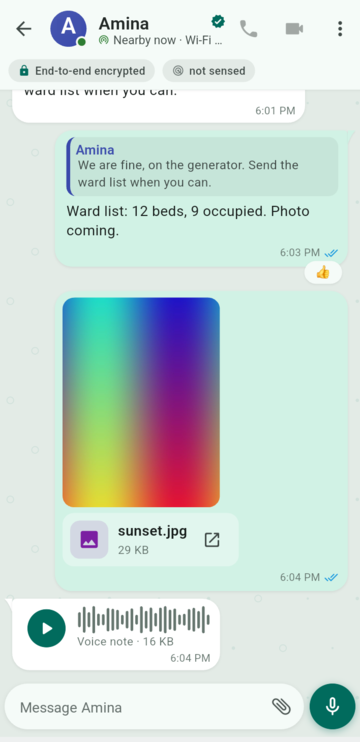
One tick means it is still with you. Two means it landed. If nothing can carry it, Yapmesh says so instead of pretending.
Try it here
This runs in your browser only. Nothing is sent anywhere; it shows what the app does between real phones.
Bilal never sees what is inside. He only carries it.
Features
You should not have to give anything up to be free of the network. So we built the whole thing.
New built recently and passing every test, not yet tried on a phone
Type, snap, or hold the button and speak. Every message is sealed to the person it is for before it leaves your phone.
Quote a message, react with an emoji, @-mention someone in a group and they get their own notification.
Fix a typo after sending. Delete a message and it vanishes on every phone that holds it.
Ask the room. Two to twelve options, one choice or many, and you can change your vote.
Pass a message to another chat. It arrives marked as forwarded, so nobody is misled.
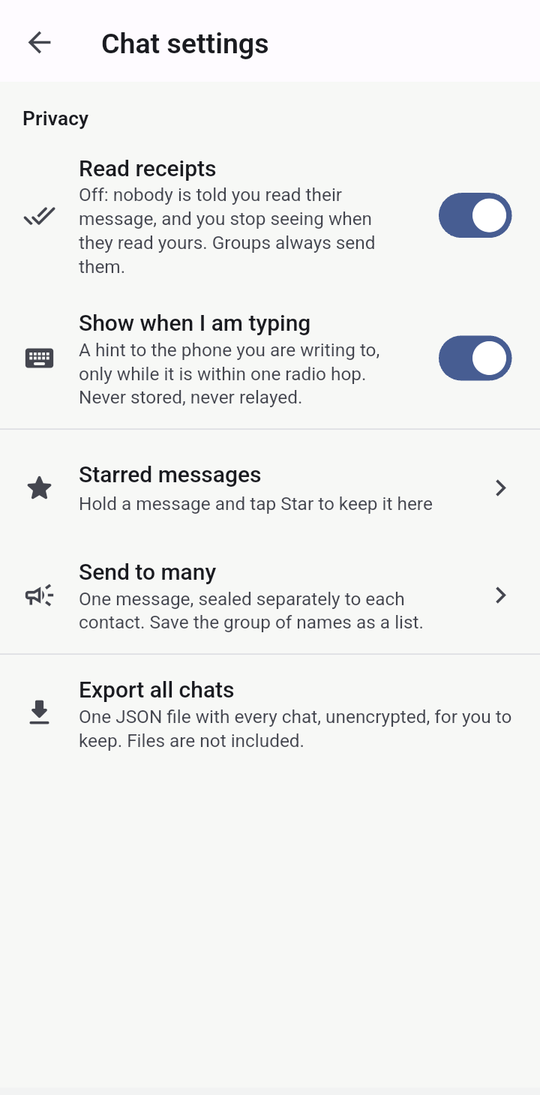
Star what matters and find it in one list. Pin a message to the top of a chat, or a chat to the top of your list.
Silence a chat for an hour, a day or a week. It keeps receiving; it just stops buzzing.
Set a timer on a chat. Every phone that holds the message drops it when the time is up.
See when someone is typing. Switch read receipts off and nobody is told when you read.
Search inside a chat. See every photo, file and voice note from one chat in one place.
One message to a list of people, sealed to each of them separately. Save the list for next time.
Share where you are and keep it updating until a time you choose. Only with the people you send it to.
A description, an icon, admins, and notice groups where only the admin posts. Who is in is a signed record, not a server's opinion.
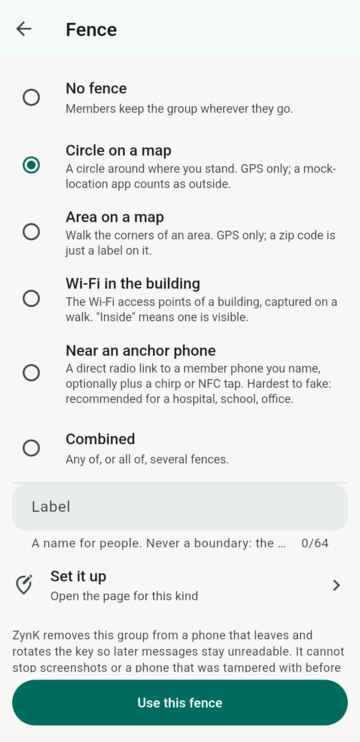
A circle on a map, a building's Wi-Fi, or the phones in a room. Walk out and the key leaves your phone; walk back in and, if the rules allow, it returns with the history.
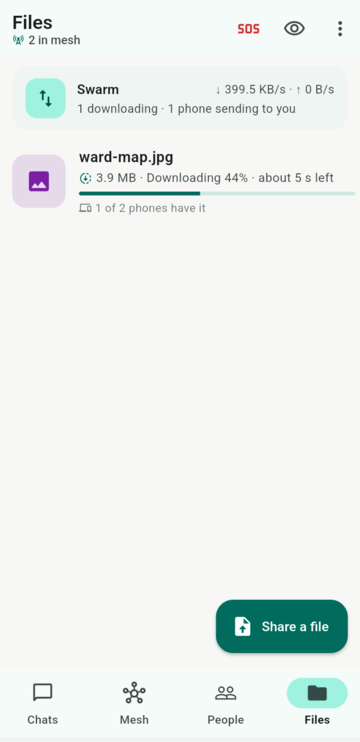
Drop a file in and it spreads. The more phones already hold it, the faster the next one gets it.
A copy of any chat, or all of them, in one file for your own records. Not encrypted, so keep it safe.
Your phone's fingerprint, face or pattern in front of Yapmesh. We never see a PIN.
Hold one button and every phone with Yapmesh in the room hears you, like a walkie-talkie. One hop, nothing saved.
Messages read aloud in your phone's own voice, the app says what is happening, and six big buttons replace the list.
Add a photo and only your contacts get it. Strangers nearby see your initials, or just a handle like @yap#0421.
The app itself speaks English, Urdu (in Urdu script or Roman letters) and Arabic, picked from your phone's language, right to left where it should be.
With many phones around, Yapmesh listens less often, because one of them will pass the message on anyway. Down to a fifth of the time in a packed room.
A school's or employer's device manager can load the class contacts and groups and name who may wipe the app. It still cannot read a message.
In practice
Real screens from the current build on a Samsung Galaxy A07. Nothing here is a mock-up.
Reply to a message, react to it, send a picture, hold the button and speak. One tick means it is still with you, two means it landed, and the colour changes when it is read.
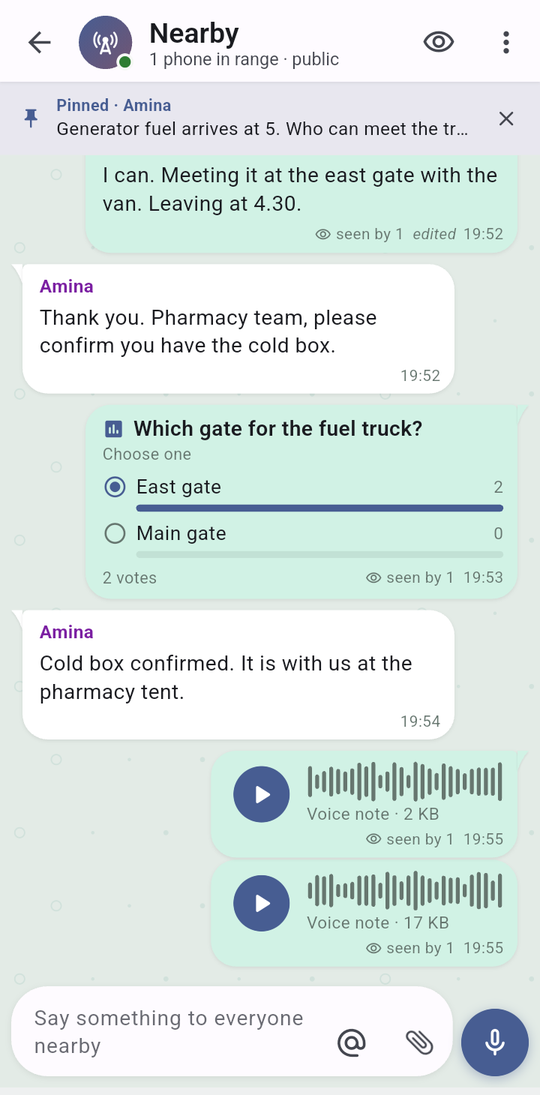
Put a poll in any chat and watch the votes land. Pin the message everyone needs to see. Fix a typo after sending and every phone shows the edit. React with a tap.
Drop a file in and every phone nearby gets a copy. The more phones already have it, the faster the next one gets it. A 5 MB file crossed by Bluetooth alone in under three minutes on our test phones.
Switch read receipts or typing hints off and nobody is told. Star what matters, send one message to a saved list of people, or export everything to a file you keep.
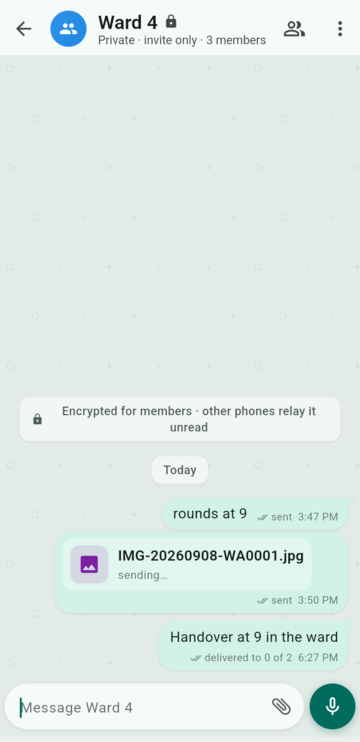
A class, a ward, a work crew. Every message says exactly who has received it and who has read it, person by person, and when someone is out of reach it says that too.
Draw a circle on a map, pick the building's Wi-Fi, or anchor the group to one phone in the room. A member who walks out loses the key, and a phone faking its location counts as outside. Built and tested in code; not yet tried on a phone.
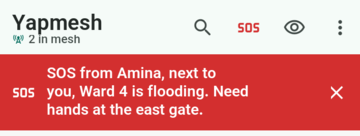
An SOS lights up every phone running Yapmesh nearby, and those phones pass it on for a day. It is not a call to the emergency services, but it reaches the people who are actually close to you.
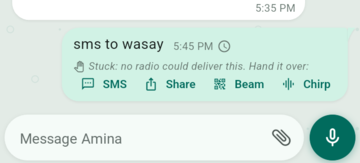
A message that nothing can carry is marked stuck and offers four ways to hand it over: as a text, through any app, as a code on your screen, or as a sound. Nothing is sent without your tap.
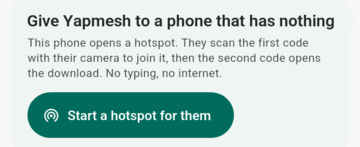
No app store, no internet. Your phone hands them the app over its own hotspot; they scan two codes and they are in.
Check it yourself
You do not have to take our word for it. Two phones and two minutes.
Reach
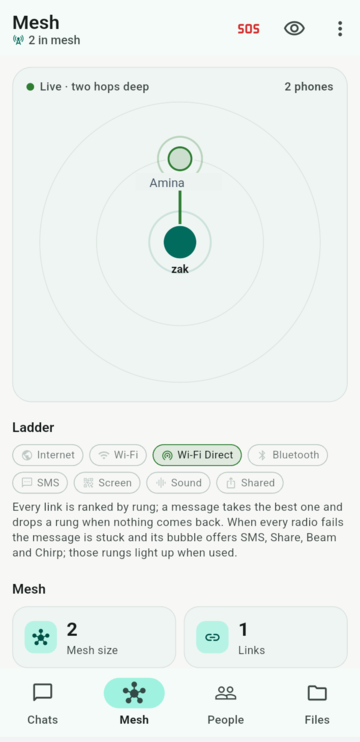
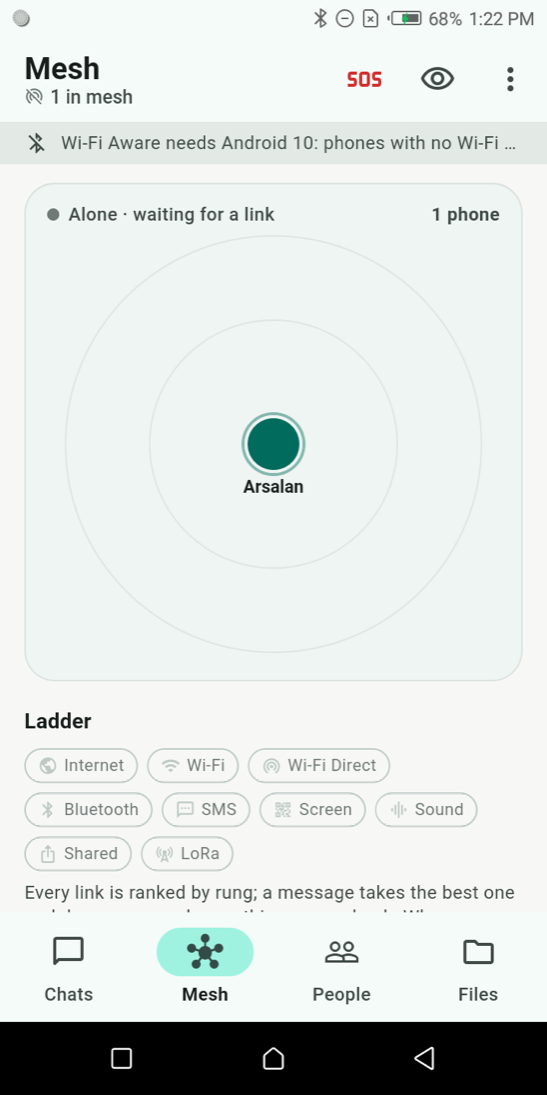
Most messengers are a server with an app in front of it. Yapmesh is the opposite: the phones are the network, and the internet, when you have it, is just one more link. Your phone picks the best one by itself.
No SIM, no Wi-Fi network, no account. These work on a phone that has nothing.
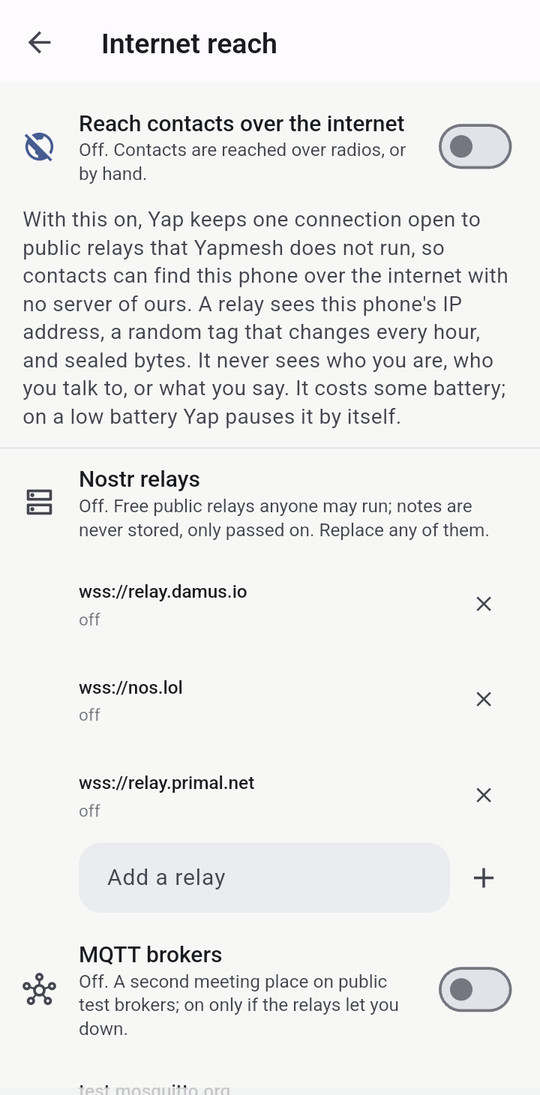
On by default, one switch to turn it off. When two phones that both have internet are contacts, they find each other without anyone in the middle.
Reach
Each circle is a phone's Bluetooth range. Lines appear when two are close enough. Move them and watch the route from You to Amina change.
Whatever the link, the message is the same sealed frame. A relay, a router, a stranger's phone and an SMS gateway all carry a box they cannot open.
Safety
A messenger that works when everything else is down will be used when people are at their most exposed. These are the parts that protect you.
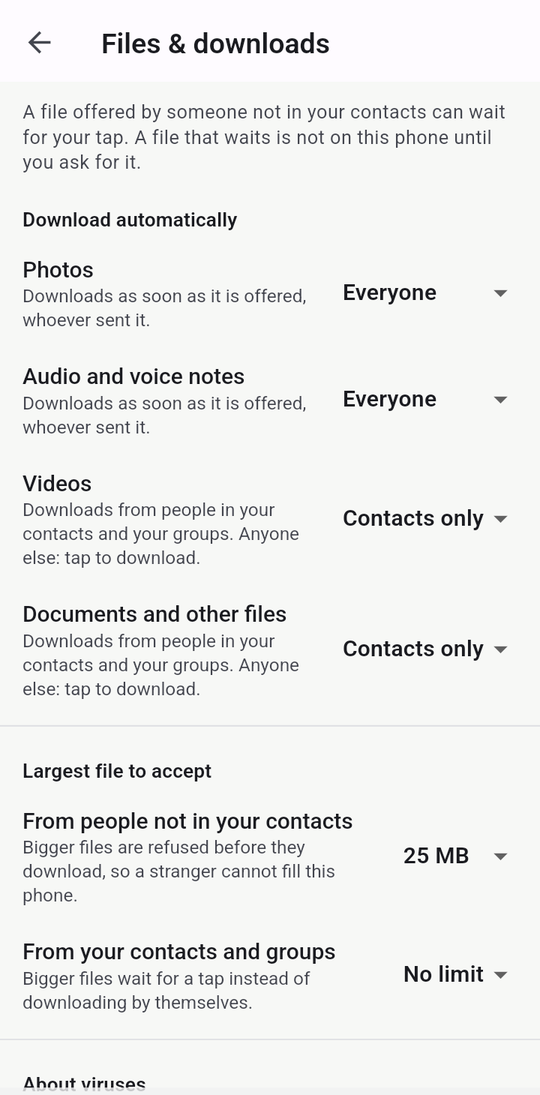
Photos from people you know arrive as normal. A document or video from someone you have not added waits until you ask for it, and a program disguised as a photo is caught by its contents and opens only through a red warning.
Blocking someone is immediate, one-sided and never announced. Every file they ever sent you is deleted and can never come back.
Abusive text in English, Urdu and Roman Urdu is refused before it is sent, and explicit images are blocked in the public room and blurred in private chats. No cloud service looks at anything.
Every contact has a safety number and a code to scan, the same idea Signal uses. A matching scan marks them verified; a changed key is shown, not hidden.
Fingerprint, face or pattern in front of the app, re-locking after a delay you choose. Everything on the phone is encrypted at rest with a key the phone's own hardware protects.
On first run, each permission is one switch with the reason next to it, and you can start with none of them. Yapmesh asks for only what the link you use needs.
Your name kept from strangers, no previews, no read receipts, chats gone after a day. And, if you want it, hold a button on the SOS screen to wipe the phone.
Report someone in a group and tick one box: a sealed copy goes to the admin's phone over the mesh, so the teacher or organiser can act.
Where it helps
Tower off. Phones on.
It happens more than most people think, and phones keep working when it does. Yapmesh links them to each other instead of to a tower.
Towers fail together. Phones don't.
Towers fail first and they fail together. Yapmesh needs none of them, and an SOS travels on from phone to phone for a whole day.
Ten thousand phones, one tower. Ours skips the tower.
A stadium, a festival, a pilgrimage. Everyone's phone is fighting for the same tower. Yapmesh gets stronger the more phones there are, not weaker.
No Wi-Fi in the room. No problem in the room.
Yapmesh started in a classroom with no Wi-Fi. Share notes, pictures and voice with the room, and nobody pays for data.
Files that never leave the building.
Some files are not supposed to leave the building. A geo-fenced group is tied to your premises, so the documents stay there and a phone that walks out loses the key.
No bars, no rush. It arrives when they do.
A village, a valley, a ship, a mine. Your message waits and travels with whoever moves, and it arrives when they do.
Airplane mode is just another Tuesday.
Airplane mode on, Bluetooth on. Everyone in the cabin who has Yapmesh is one chat away, and the trip is not billed by the megabyte.
They can turn off the network. Not the phones.
When a network is throttled or switched off on purpose, phones in the same crowd still reach each other, and a message rides in a pocket until it finds a way out.
Your side of it
No phone number, no email, no password, nothing to sign up for. Your phone makes a key when you first open the app, and that key is you.
Your messages never pass through a server of ours, so there is nothing for anyone to hand over, sell, or lose. Not even a count of how many people use it.
No adverts, no paid tier, no trial. The app is free and the protocol is published so anyone can check what it does.
Under the hood: Ed25519 signatures, X25519 sealed boxes, the Double Ratchet with X3DH prekeys for private chats, per-epoch group keys with sender keys, and Merkle-verified file chunks. Named exactly on the technical page.
Numbers
Honest comparison
WhatsApp: Two billion people are already on it, calls included.
Yapmesh: Needs the internet and your phone number. Yapmesh needs neither.
Signal: The gold standard for encryption, run by a non-profit.
Yapmesh: Still needs the internet and a phone number. Yapmesh uses the same Double Ratchet idea, phone to phone.
Bitchat: Far more users and a famous founder.
Yapmesh: Yapmesh adds Wi-Fi Direct, routers, SMS, sound and screen links, groups that say who has read what, Urdu, and a developer you can email.
Who made this
Yapmesh started as a way for students in a room with no Wi-Fi to share notes. It is built and tested on the phones on this desk, not in a lab. Every number on this site was measured on them.
Get it
One file, straight from us. Android will ask you to allow the install; that is normal for an app that is not from the store.
Download forAndroidThe first release-signed build is not published yet. The builds on our desk are signed with a development key and must not be installed from strangers. When the release exists, this box will show the file, its SHA-256 and the signing-key fingerprint, and the app's About screen will show the same fingerprint.
github.com/zakonweb/yapmesh/releasesIf they already have Yapmesh, they can pass it to your phone with no internet at all. Their phone makes a hotspot, you scan two codes, and it installs.
Any browser on a phone's Wi-Fi or hotspot can open Yapmesh as a full node: chat, files, the map. Nothing to install on the laptop.
Open in anyBrowserThe app runs on a real iPhone and talks to Android phones over the same Wi-Fi. It is installed from the developer's Mac for now; an App Store or TestFlight build is the next step, and this card will carry the link when it exists.
Coming toiPhone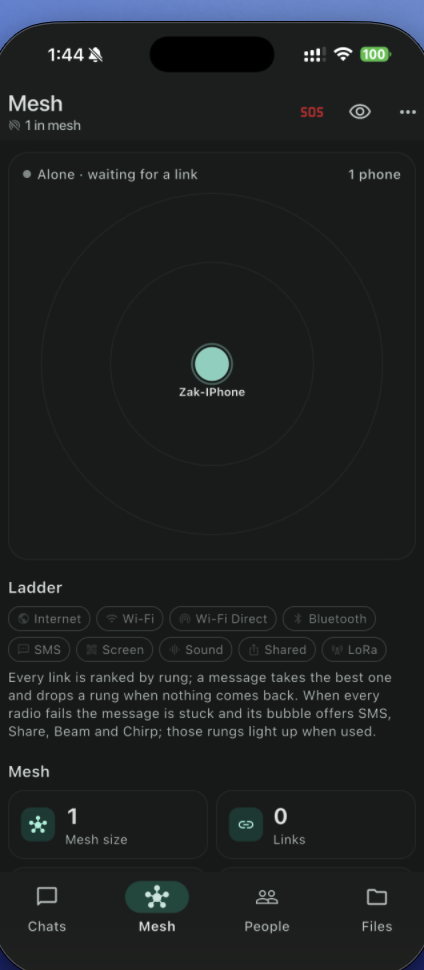
Pass it on
The app spreads phone to phone, and so does the word. Copy the line or scan the code.
Try Yapmesh: a messenger that works with no internet, no SIM, no account. Phones talk to each other directly. Free. https://yapmesh.com/

Questions
No. Not to install it from a friend's phone, not to set it up, and not to use it. If you do have internet it can use that too, but it never needs it.
Yes, when your phone happens to have it, and you can stop that. Internet reach is on by default so a friend far away can still get your message: your phone meets a contact's phone through public relays that nobody owns, and only phones that already swapped codes can find each other. Turn it off under Menu → Settings → Internet, or exclude any one contact. There is still no server of ours.
One hop is about a room or a building, sometimes more outdoors. But a message can jump across several phones, and it can also ride in someone's pocket while they walk. So in practice: as far as people go.
No. It talks over Bluetooth and Wi-Fi directly between phones, which costs nothing. The only exception is if you choose to send a stuck message as a text, which uses one or more ordinary SMS.
No. A message is locked to the person you sent it to before it leaves your phone. The phones that carry it along the way cannot open it, and neither can we, because there is no we in the middle.
It keeps Bluetooth and Wi-Fi looking for nearby phones while it is open, which does use power. It looks less often when many phones are around, slows down further when the battery is low, and pauses internet reach. You can override that for a few hours with "Full mesh for now". We have not measured a full day honestly yet, so we are not going to give you a number we made up.
It works. On 11 September 2026 the app ran on a real iPhone 17 Pro Max, joined two Android phones over the same Wi-Fi and read a message from one of them. Sending from the iPhone has not been logged yet. Over Bluetooth an iPhone can only reach other iPhones, because Apple does not allow the link Android uses; that part is built but not yet tested. There is no App Store or TestFlight build yet, so you cannot download it today.
Yes. The help page walks through every screen and every switch in the app's own words, with pictures, from first run to fences, files, SOS and safety. It is linked in the footer and from Menu → Help inside the app.
No, and we say so plainly. The core works today between real phones. Features marked new on this page passed every automated test this week but have not yet been tried on a phone. The technical page lists exactly which is which.
There is a detailed page with the transport ladder, the cryptography, a comparison against Briar, Bridgefy, Berty, Meshtastic, Signal and WhatsApp, and a source for every number.
Free, open, and honest about what it can and cannot do yet.